Cannabis Wholesale Sales Pipeline: 7 Stages and a Template
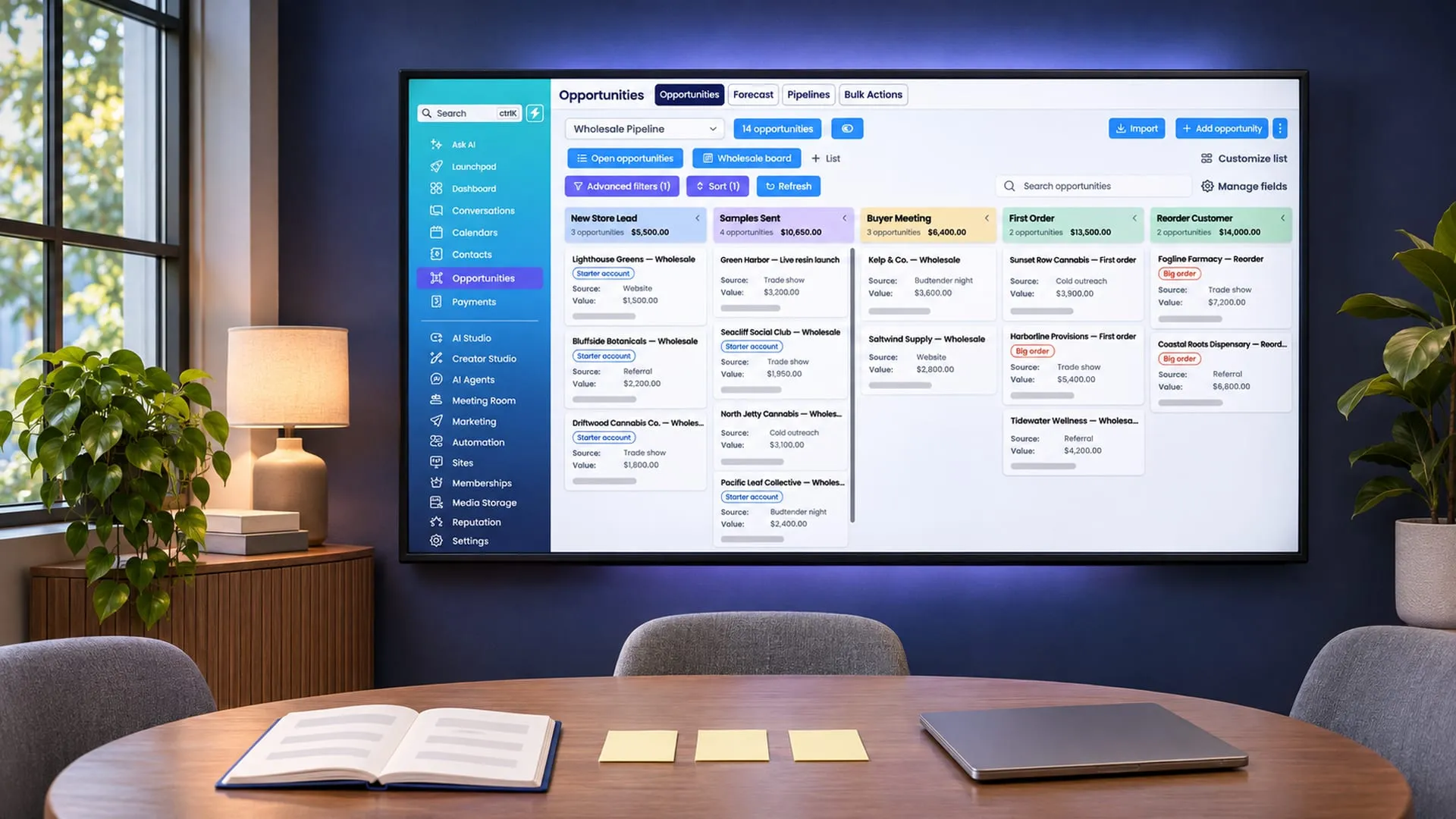
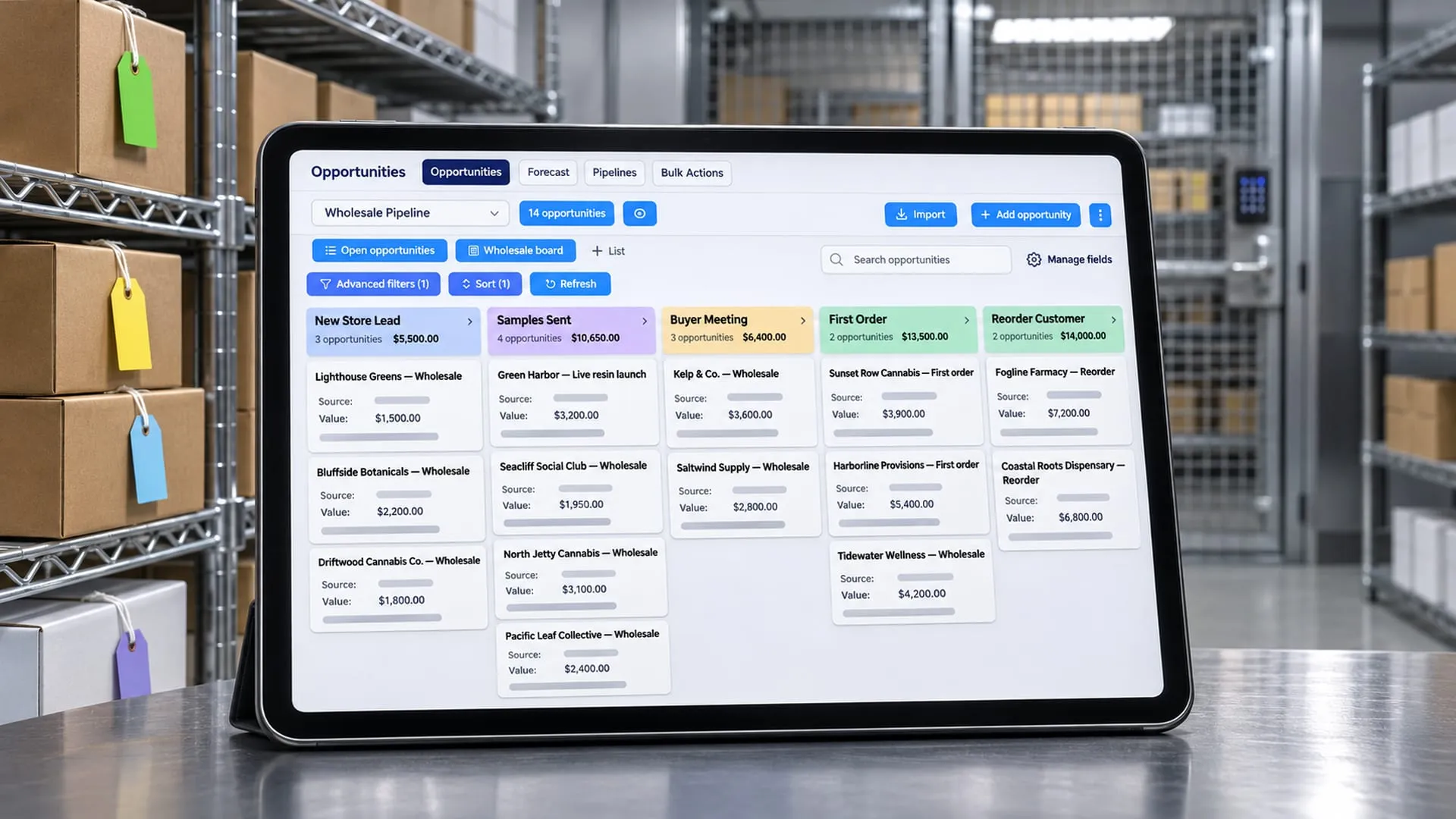
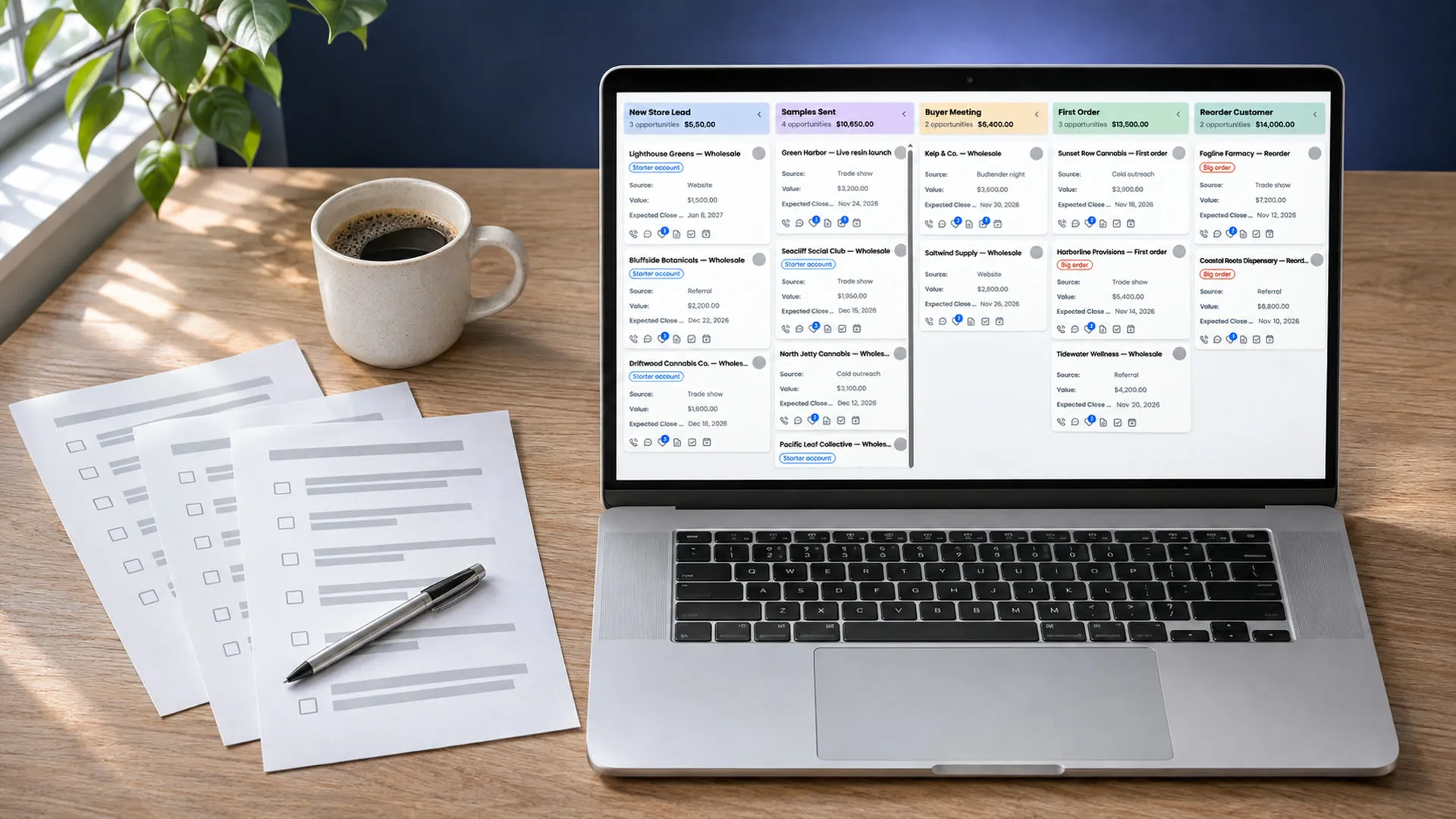
A cannabis wholesale sales pipeline is the set of stages a dispensary account moves through, from first contact to regular reorders. A brand selling to stores can run on seven: New Store Lead, Contacted, Buyer Meeting, Samples Sent, Vendor Setup, First Order and Reorder. Each stage needs an exit rule, a next step and an owner.
Written stages make “Samples Sent” mean the same thing for every rep, so stalled deals stand out and the forecast reflects real progress.
What are the 7 stages of a cannabis wholesale sales pipeline?
The seven stages run from finding a store to keeping it reordering. The exit rule is what must be true before a deal moves on.
| Stage | What it means | Exit rule | Next step | Typical tasks |
|---|---|---|---|---|
| 1. New Store Lead | A licensed store that fits, not yet contacted | License active, buyer’s name found | Send the intro email | Check the license, find the buyer, assign a rep |
| 2. Contacted | The buyer has heard from you | Meeting or drop-in booked | Hold the buyer meeting | Send the sell sheet, follow up, log each touch |
| 3. Buyer Meeting | Meeting booked or held | Buyer agrees to try samples | Send samples | Pitch, share the price list, ask how the store orders and pays |
| 4. Samples Sent | The buyer and staff are trying the product | Buyer answers on a first order | Follow up within a week | Log what you sent and to whom, ask for feedback |
| 5. Vendor Setup | The buyer said yes; paperwork in progress | Agreement signed, store can order | Take the first order | Send the vendor agreement for e-signature, confirm terms |
| 6. First Order | Purchase order or marketplace order placed | Delivered, invoiced, budtender training booked | Launch visit and training | Confirm the ship date, send the invoice |
| 7. Reorder | The store has ordered again | None while the store keeps ordering | Check in before the usual reorder date | Stock and sell-through checks |
Add two closed outcomes outside the seven. Not Now is for a store that fits but has bad timing; give it a retry date. Lost is for a store that said no; record the reason, such as price, a full category or a buyer who left.
See how to sell to dispensaries for the selling work behind each stage.
What is an exit rule in a sales pipeline?
An exit rule is the fact that must be true before a deal moves to the next stage. Without exit rules, one rep moves a store to Buyer Meeting after a friendly hello at a trade show while another waits for a date on the calendar, and the forecast counts both the same.
Good exit rules are facts you can check, such as a meeting with a date, a signed vendor agreement or an order number.
Sales pipeline template for a cannabis brand
Copy the stages and exit rules, then give every deal the same fields.
Pipeline: Dispensary Wholesale

1. New Store Lead   exit when: license active and buyer name found
2. Contacted        exit when: meeting booked
3. Buyer Meeting    exit when: buyer agrees to samples
4. Samples Sent     exit when: buyer answers on a first order
5. Vendor Setup     exit when: agreement signed and store can order
6. First Order      exit when: delivered, invoiced, training booked
7. Reorder          stays while the store keeps ordering

Closed: Not Now (with a retry date), Lost (with a reason)
The example values below are made up.
| Field | Example value | Why it matters |
|---|---|---|
| Store name | Example Cannabis Co., Denver | Matches the name on the license |
| State license number | From the state’s license lookup | Lets you recheck status |
| Buyer | Dana Ruiz, labeled Buyer | One buyer can buy for several stores |
| Rep | Your Denver rep | One owner per deal |
| Stage and next step | Samples Sent; follow-up call on a set date | Every open deal needs a next step |
| Deal value | $2,000 first order (example) | Feeds the sales forecast |
| Products pitched | Pre-roll 5-pack, gummies | Shapes samples and the sell sheet |
| Lead source | Trade show, referral, license list | Shows which sources turn into orders |
Our MJBizCon 2026 follow-up guide shows how to sort trade show leads before stage 1.
How long should a deal stay in each stage?
Give each stage a time limit, and let a workflow catch any deal that passes it. The limits below are examples; adjust them to your buyers.
| Stage | Example time limit | What the workflow does when the limit passes |
|---|---|---|
| Contacted | 14 days | Give the rep a task to try a store drop-in |
| Buyer Meeting | 7 days | Remind the rep to send samples or move the deal to Not Now |
| Samples Sent | 10 days | Email the buyer a short check-in and give the rep a call task |
| Vendor Setup | 14 days | Alert the sales lead that the paperwork has stalled |
| First Order | 30 days | Email the buyer a stock check and give the rep a check-in task |
| Reorder | The store’s usual reorder window | Start the reorder check-in |
HighDay workflows include a “deal sits too long in a stage” trigger for this. Base the Reorder window on each store’s own history; our guide to keeping dispensaries reordering explains how, and the sell-through rate guide separates stock problems from sales problems.
How do you set up a wholesale sales pipeline in a CRM?
- Write the stages and exit rules down and share them with every rep.
- Create the pipeline with those stage names. HighDay sales pipelines let you name the stages.
- Import stores and buyers. HighDay imports spreadsheets with column mapping (store name to Business Name, license number to State License Number), has a direct HubSpot importer, and the support team helps.
- Link each buyer to every store they buy for, with the label Buyer.
- Create one deal per store with a stage, owner, value and next step.
- Add the stall workflows from the time limit table.
- Put reps on the HighDay app for iPhone and Android.
- Review weekly with reporting dashboards and the sales forecast by rep.
You can build step 6 by typing it. In Ask AI, write: “Build a workflow that, when a deal sits in Samples Sent for 10 days, emails the buyer a short check-in and gives the rep a call task.” HighDay builds a draft workflow and shows an approval card before it changes anything. For the first month after a switch, use our cannabis CRM setup checklist.
Should a cannabis brand use one pipeline or several?
Start with one pipeline for dispensary accounts, and add another only when the sale is different:
- Distributor deals. California’s Department of Cannabis Control says “You need a distribution license to transport cannabis goods in California,” and a Type 11 distributor license covers moving finished goods to retail premises. See our CRM guide for cannabis distributors.
- Ancillary sales. Packaging and software companies sell through demos, proposals and contracts. See HighDay for ancillary companies and our ancillary CRM guide.
- A new state. One pipeline per state keeps a launch easy to track. See how to launch a cannabis brand in a new state.
Keep stage names the same across pipelines so reports compare like with like.
Which compliance checks belong in the pipeline?
Some stages are natural checkpoints for state rules.
- New Store Lead: check the license. California’s DCC says its License Search tool is “updated daily.” Our guide to building a dispensary prospect list from license data lists other state lookups.
- Samples Sent: log samples against state limits. Washington’s WAC 314-55-096 bars a processor from giving any one retail business more than 120 trade sample units per calendar quarter. California’s trade samples FAQ limits samples of cannabis products to 5 units per product line and 6 product lines for each recipient licensee in a calendar month, with separate limits for flower.
- First Order: follow track-and-trace rules. In California, a licensee must prepare a shipping manifest through the track and trace system before transferring cannabis off a licensed premises (4 CCR 15049.2). Metrc describes itself as “a secure database to track and trace cannabis from seed to sale.” See Metrc vs a CRM for how the two split the work.
These rules are as of November 2026. This is not legal advice; check with your attorney and your state regulator.
How HighDay helps
HighDay is a cannabis CRM for cannabis and hemp brands, ancillary companies and dispensaries. For a wholesale pipeline, a brand team gets:
- Sales pipelines with stages you name, and store accounts with a state license number field
- One buyer linked to every store they buy for, with the label Buyer
- Workflows with more than 100 triggers and 150 actions, including “deal sits too long in a stage,” and Ask AI to draft them
- Documents and contracts with e-signature, plus invoices and payments through gateways such as Authorize.net and NMI for high-risk merchant accounts
- Calendars for buyer meetings, store visits and budtender trainings, with round-robin across reps
- Reporting dashboards and a sales forecast by rep
- A LeafLink connection already in place
Who it isn’t for. HighDay does not do route optimization or GPS, so reps plan routes in their map app (see territory management). It does not replace Metrc or other seed-to-sale tracking, and brands cannot text buyers from it. A solo seller with a few stores may do fine on a free CRM for now.
Comparing tools? Use our 10 questions to ask before you choose a cannabis CRM.
Try HighDay for 14 days for $4.20. After the trial, the Brands & Ancillary plan is $297 a month plus a $297 one-time setup fee. See plans, watch the demo or book a call.
Frequently asked questions
What are the stages of a sales pipeline for a cannabis brand?
A brand selling to dispensaries can use seven: New Store Lead, Contacted, Buyer Meeting, Samples Sent, Vendor Setup, First Order and Reorder, plus two closed outcomes, Not Now and Lost.
What should a sales pipeline template include?
Stage names, an exit rule for each stage, and the same fields on every deal, such as store, license number, buyer, rep, next step and deal value.
How many stages should a sales pipeline have?
Enough that each stage has one clear exit rule. This guide uses seven. Too few stages hide where deals stall, and extra stages add clicks without adding information.
What is the difference between a sales pipeline and a sales forecast?
The pipeline shows where each deal stands. The forecast adds up deal values to estimate what each rep will close, so it depends on honest exit rules.
How do I stop deals from stalling in my pipeline?
Give every stage a time limit and a workflow that acts when a deal passes it, such as an email to the buyer and a call task for the rep. In HighDay, use the “deal sits too long in a stage” trigger.